
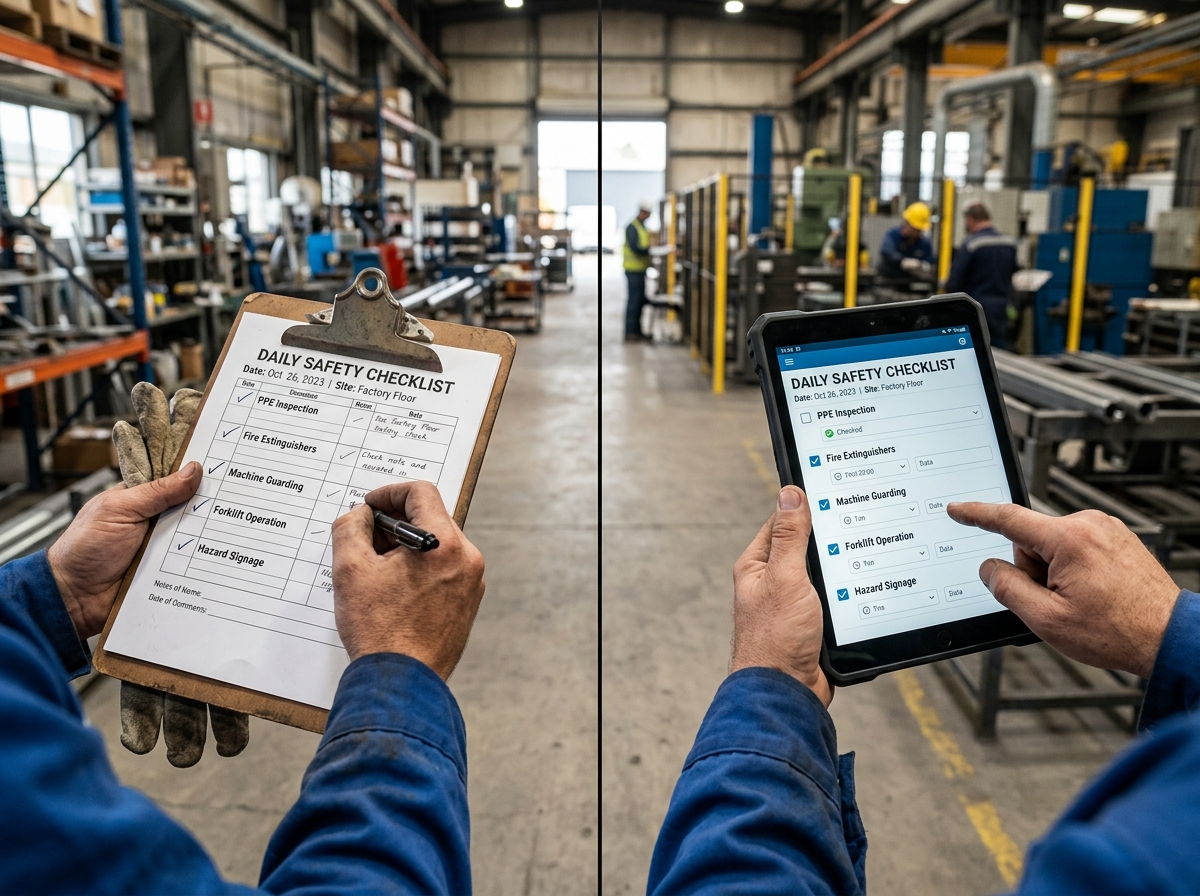
Digital vs Paper Safety Inspections: The Complete Comparison for OHS Managers
The Clipboard That Couldn't Save Anyone
A manufacturing plant in Germany had a rigorous paper-based inspection program. Monthly inspections. Twelve categories. Dozens of items per category. Signed and filed.
When the plant suffered a serious forklift incident, the investigation team asked for the inspection records for the previous six months. The records were found in filing cabinets. Three of the six monthly inspections had pages missing. One inspection had been signed but was missing the entire vehicle section. Two inspections had identical findings in every field — suggesting the form had been photocopied rather than conducted.
No one had checked. The records were filed; they were assumed to be complete.
Paper-based inspection systems are not inherently poor. They have served industrial organizations for decades and continue to work adequately in some contexts. But they have four structural limitations that digital inspection platforms resolve: they cannot verify that an inspection was conducted, they cannot guarantee data integrity, they cannot enable real-time corrective action assignment, and they cannot support trend analysis at scale.
The question for most OHS managers is not whether to transition to digital — it is when and how.
The Paper Inspection: What It Does Well and Where It Fails
Strengths of Paper-Based Inspection
Universal access: Paper requires no technology, no charging, no connectivity. In environments where devices are prohibited (explosive atmospheres, certain food production facilities), paper is the only option.
No learning curve: Any literate worker can complete a paper inspection form. Training time is minimal.
Low initial cost: Paper forms cost almost nothing to produce.
Acceptable in low-complexity contexts: For organizations with simple inspection requirements, infrequent inspections, and small teams, paper can be adequate.
Structural Limitations of Paper
| Limitation | Consequence |
|---|---|
| No verification that inspection occurred | Forms can be signed without the inspection being conducted; the system cannot detect this |
| No photo integration | Findings without photos are difficult to act on and difficult to defend legally |
| Data transcription required | Findings must be re-entered into a separate system for corrective action tracking; this delay means hazards go unaddressed longer |
| No real-time corrective action assignment | Actions recorded on paper must be reviewed, transcribed, and assigned by someone else — often days later |
| No trend analysis | Paper records cannot be aggregated to identify patterns across inspections, locations, or time periods |
| Storage and retrieval costs | Physical storage, filing, and retrieval of paper records has significant ongoing cost |
| Version control problems | Multiple versions of forms in circulation; outdated checklists being used |
| Illegible or incomplete records | Handwriting quality and completeness are unverifiable quality issues |
The Digital Inspection: Capabilities and Limitations
Core Capabilities of Digital Inspection Platforms
Guided, structured completion: Digital forms require all fields to be completed before submission. Conditional logic shows or hides sections based on previous responses. An inspector cannot "forget" to complete the vehicle section.
Photo capture and annotation: Photos are captured within the inspection workflow, associated with specific findings, and embedded in the report. The photo is timestamped and geolocated — providing verification that the inspection occurred at the claimed location and time.
Immediate corrective action creation: Each finding can generate a corrective action record — with an assigned owner and deadline — before the inspector leaves the area.
Automatic report generation: A professional PDF report is generated immediately on completion — no office time for data entry or report writing.
Trend analysis: All inspection data is aggregated across all inspections, locations, time periods, and inspectors. Patterns that would be invisible in paper records — a particular piece of equipment generating repeat findings, a particular department with declining inspection scores — become visible.
Real-time visibility: Managers can see all in-progress and completed inspections in real time — not waiting for reports to be filed.
Version control: All inspectors use the current version of each checklist, automatically. There is no risk of outdated forms being used.
Limitations of Digital Inspection Platforms
Technology dependency: Digital platforms require devices that are charged, connected (or capable of offline operation), and compatible with the environment. Device management adds overhead.
Adoption resistance: Inspectors accustomed to paper may resist the change. Training and change management are required.
Connectivity requirements: Cloud-based platforms require connectivity to sync. Platforms without robust offline capability fail in environments with poor or no connectivity.
Initial cost: Digital platforms have subscription or licensing costs. The ROI is typically clear over 12–24 months, but the upfront cost is real.
Data security and privacy: Inspection data stored in cloud platforms raises data governance questions that paper records do not.
Head-to-Head Comparison
| Factor | Paper | Digital | Winner |
|---|---|---|---|
| Inspection verification | Not possible | GPS/timestamp verification | Digital |
| Photo documentation | Manual (separate device) | Integrated, automatic | Digital |
| Corrective action speed | Days (transcription required) | Immediate (on completion) | Digital |
| Trend analysis | Not practical | Automatic, real-time | Digital |
| Completion assurance | None | Mandatory field validation | Digital |
| Report quality | Variable (handwriting, completeness) | Consistent, professional | Digital |
| Offline capability | Always works | Varies by platform | Paper (or equal for offline-first digital) |
| Training required | Minimal | Moderate (initially) | Paper |
| Device and tech costs | None | Subscription + device management | Paper |
| Regulatory defensibility | Low (completeness unverifiable) | High (verified, timestamped records) | Digital |
| ISO 45001 audit readiness | Manual compilation required | Instant, complete | Digital |
| Multilingual support | Manual translation | Automated | Digital |
| Environmental impact | Paper consumption | Reduced paper use | Digital |
Overall verdict for industrial OHS contexts: Digital inspection platforms provide superior safety outcomes in every measurable dimension except initial cost and technology dependency. The case for digital is strongest in organizations with:
- Multiple inspectors or multiple locations
- ISO 45001 certification or certification objectives
- Regulatory environments with stringent record-keeping requirements
- High inspection frequency (monthly or more frequent)
The ROI Case for Digital Inspection
The return on investment for digital inspection platforms comes from three areas:
1. Time Savings
The time cost of paper-based inspection includes:
- Inspection time (roughly equal to digital for the same scope)
- Report transcription and writing: typically 45–90 minutes per inspection
- Data entry for corrective action tracking: 15–30 minutes per inspection
- Filing and retrieval: variable but significant over time
For an organization conducting 20 formal inspections per month, this represents 20–40 hours of administrative time per month that digital inspection eliminates. At an average OHS officer salary, this is a measurable cost reduction.
2. Corrective Action Speed
Paper inspections with a 48–72 hour delay between inspection and corrective action assignment allow hazards to persist uncontrolled. A digital platform with immediate corrective action assignment reduces this exposure window to hours. The value of this reduction is difficult to quantify precisely — but every day a hazard remains uncontrolled increases the probability of an incident occurring.
3. Incident Prevention Through Trend Analysis
Organizations that use digital inspection data to identify repeat findings and systemic patterns can intervene before the incident. The preventive value of this capability is the most significant — but also the most difficult to quantify. Organizations that have made the transition to digital inspection and used the trend data actively typically report 20–35% reductions in inspection finding recurrence rates within 12 months.
How to Transition from Paper to Digital Inspections
Phase 1: Selection (1–3 months)
Identify the platform requirements:
- Offline capability (essential for most industrial environments)
- Checklist customization capability (to replicate your current forms)
- Corrective action workflow (how actions are assigned and tracked)
- Report format (does the output meet your regulatory and management requirements?)
- Language support (does the platform support the languages your workforce uses?)
- Integration requirements (does it need to connect to your HRIS or ERP?)
Pilot with one or two inspectors on a subset of inspections before rolling out organization-wide.
Phase 2: Preparation (1 month)
- Digitize all existing paper checklists into the platform
- Set up corrective action workflows and assign roles
- Create the management dashboard
- Prepare training materials
Phase 3: Rollout (1–3 months)
- Train all inspectors — not just on the platform, but on why the change is happening and what the data will be used for
- Run paper and digital in parallel for the first 2–4 weeks to build confidence
- Address technical issues promptly — early technical problems that go unresolved drive abandonment
- Communicate early wins: "Here's what we found from the first month's data that we couldn't see before"
Phase 4: Optimization (ongoing)
- Review the corrective action closure rate — the most important leading indicator from the inspection program
- Identify the checklist items that generate the most findings — these may need engineering or procedural attention
- Use trend data to focus inspection resources on the highest-risk areas
- Continuously improve checklist content as site conditions and regulatory requirements change
How FindRisk Delivers the Digital Inspection Advantage
FindRisk was built specifically for field-based OHS professionals who need to conduct inspections, generate reports, and assign corrective actions without returning to an office.
AI-assisted checklist generation: Rather than digitizing a static paper checklist, FindRisk generates a contextually relevant checklist based on the inspection type, location, and task description — including hazards that a generic template might miss.
Fully offline operation: FindRisk works without connectivity. Inspections are completed on-device and synchronized when connectivity is restored. There is no dependency on network availability during an inspection.
Integrated photo annotation: Photos are captured within the inspection workflow, annotated with hazard markings directly in the app, and embedded in the automatically generated report.
Fine-Kinney risk scoring: Each finding is scored using the Fine-Kinney methodology — providing a ranked corrective action list that prioritizes the highest-risk findings automatically.
Instant professional PDF: A complete inspection report — with photos, findings, risk scores, and corrective action assignments — is generated the moment the inspection is complete. No office processing required.
Frequently Asked Questions
Can digital inspection platforms work in ATEX (explosive atmosphere) zones?
Most standard mobile devices (smartphones, tablets) are not rated for use in Zone 1 or Zone 2 ATEX environments. Some specialized ruggedized devices are ATEX-certified, and some inspection platforms are compatible with these devices. For most ATEX environments, inspection must be conducted before entering the zone (using prior observation) or with ATEX-rated equipment. Verify device ratings before deploying digital inspection in explosive atmosphere areas.
What happens if the device battery dies during an inspection?
Well-designed mobile inspection platforms save progress continuously — so that if a device loses power or crashes, the inspection to date is not lost. Before deploying digital inspection in the field, verify that the platform you select saves progress automatically. Always ensure devices are fully charged before extended field use.
How do we handle inspectors who resist switching to digital tools?
Resistance to digital transition is almost always rooted in one of three concerns: "the technology is too complicated," "it will take longer," or "I don't see why we need to change what works." Address each specifically: run side-by-side training to demonstrate that the platform is simpler than the current paper process; time a digital inspection end-to-end and compare it to the full paper process (including report writing); show the inspection trends and corrective action data that the digital system makes possible. The most effective conversion tool is demonstrating concrete value from the data.
Conclusion
The comparison between paper and digital inspection is not a debate about tradition versus technology. It is a comparison of what each approach can achieve — and for organizations that conduct regular formal safety inspections, the evidence consistently favors digital platforms on every safety-relevant dimension.
Paper inspections produced a compliance record. Digital inspections produce a management tool.
The transition takes time, management commitment, and change management. The organizations that make it successfully are those that invest in the transition process — not just the platform selection — and that use the resulting data actively, not just as a record.
The organizations that continue to use paper clipboards for formal safety inspections in 2026 are not making a principled choice — they are accepting preventable risk.
Download FindRisk to start your first digital AI-assisted safety inspection today — with no paper, no transcription, and a professional report before you leave the floor.
Try FindRisk
Ready to modernize your safety workflow?
Conduct AI-powered risk assessments, generate reports instantly, and keep your team safe — anywhere, anytime.