Best OHS Software & Safety Inspection Apps in 2026: Complete Buyer's Guide
The $170 Billion Problem No One Talks About
Every year, workplace accidents cost the global economy an estimated $170 billion in direct costs — compensation, legal fees, downtime, and medical care. The indirect costs — lost productivity, reputational damage, regulatory penalties, and the long-term health consequences for workers — push that figure far higher.
Yet in a 2024 survey by the National Safety Council, 42% of EHS managers still relied on paper-based systems or generic spreadsheets to manage safety inspections and risk assessments. The same survey found that organizations using dedicated digital OHS tools reported 35% fewer recordable incidents than those using manual processes.
The market for occupational health and safety software has matured significantly. Dozens of platforms now compete for the attention of safety managers, EHS directors, and operations leaders. Choosing the wrong tool — or failing to adopt one at all — carries real risk.
This guide cuts through the noise. We cover the categories of OHS software available in 2026, what features matter most for different organizational contexts, and a direct comparison of the leading platforms to help you make an informed decision.
What Is OHS Software?
OHS software (also called EHS software, safety management software, or safety inspection software) is a digital platform that helps organizations plan, execute, track, and report on occupational health and safety activities. At its core, it replaces paper-based processes with structured, auditable digital workflows.
Modern OHS software typically covers some combination of:
- Safety inspection and audit management
- Risk assessment and hazard identification
- Incident and near-miss reporting
- Corrective action tracking
- Permit to work management
- Training and competency tracking
- Compliance documentation and reporting
- Analytics and safety performance dashboards
Not every platform covers all of these. Some are deep specialists in one area; others are broad suites that span the entire EHS function.
5 Categories of OHS Software
Understanding the category a tool belongs to helps you evaluate whether it fits your actual needs.
1. Safety Inspection and Audit Platforms
These tools focus on conducting, recording, and reporting on workplace inspections. Core features include digital checklists, photo capture, automatic report generation, and scheduling. They are the most widely adopted category — the entry point for most organizations moving away from paper.
Best for: Organizations running frequent site inspections, multi-location audits, or ISO 45001 compliance audits.
2. Risk Assessment Tools
Dedicated risk assessment platforms support the formal process of identifying hazards, evaluating likelihood and severity, and documenting control measures. The most capable tools offer multiple methodology support (risk matrix, Fine-Kinney, bowtie analysis) and allow assessments to be linked directly to specific equipment, tasks, or locations.
Best for: Organizations in high-hazard industries (construction, oil & gas, manufacturing, chemical) where risk assessment is a regulatory requirement, not just a best practice.
3. Incident Management Systems
These platforms manage the full lifecycle of an incident: initial report, investigation, root cause analysis, corrective action assignment, and closure. Integration with near-miss reporting is a key differentiator.
Best for: Organizations with a significant incident history, legal reporting obligations, or ISO 45001 certification requirements under Clause 10.2.
4. Permit to Work Software
PTW software digitizes the authorization workflow for high-risk non-routine work. Key features include permit creation, authorization sign-off (with mobile verification), simultaneous operations (SIMOPS) conflict detection, and automatic expiry alerts.
Best for: Industrial facilities, refineries, construction sites, and utilities where multiple live permits need to be managed simultaneously.
5. Integrated EHS Management Suites
Enterprise-level platforms that span all OHS functions in a single system. These typically include dedicated modules for inspections, risk, incidents, training, PTW, and analytics — all linked in a common data model.
Best for: Large organizations with dedicated EHS departments, complex multi-site operations, or enterprise-wide compliance reporting needs.
What to Look for in OHS Software: 8 Critical Criteria
Before comparing specific platforms, establish your evaluation framework. These eight criteria consistently separate the tools that deliver value from those that get abandoned after three months.
| Criterion | What to Look For | Red Flags |
|---|---|---|
| Mobile usability | Works fully offline; designed for field use, not just office reporting | Web-only, requires constant connectivity, desktop-first UI |
| Inspection flexibility | Custom checklists, conditional logic, photo annotation | Fixed templates only, no customization |
| Report quality | Professional PDF output, auto-populated fields, photo integration | Manual assembly required, low-quality export |
| Risk methodology | Supports your preferred method (matrix, Fine-Kinney, etc.) | One-size-fits-all scoring, no methodology options |
| Integration capability | Connects to your HRIS, asset management, or ERP system | Siloed data, no API |
| Audit trail | Tamper-evident logs, timestamped actions, named users | No audit history, editable records |
| Language support | Interface and reports in the languages your workforce uses | English only |
| Pricing model | Transparent, scales with your usage | Per-report fees, hidden overage charges |
Top OHS Software and Safety Inspection Apps in 2026
The following comparison covers platforms with significant adoption in 2026. Pricing models and feature sets change frequently — verify current details directly with each vendor.
FindRisk — AI-Powered Safety Inspection for Field Teams
Category: Risk assessment + safety inspection (mobile-first)
Best for: OHS professionals who need AI-generated risk assessments and inspection checklists on-site, without returning to an office to compile reports.
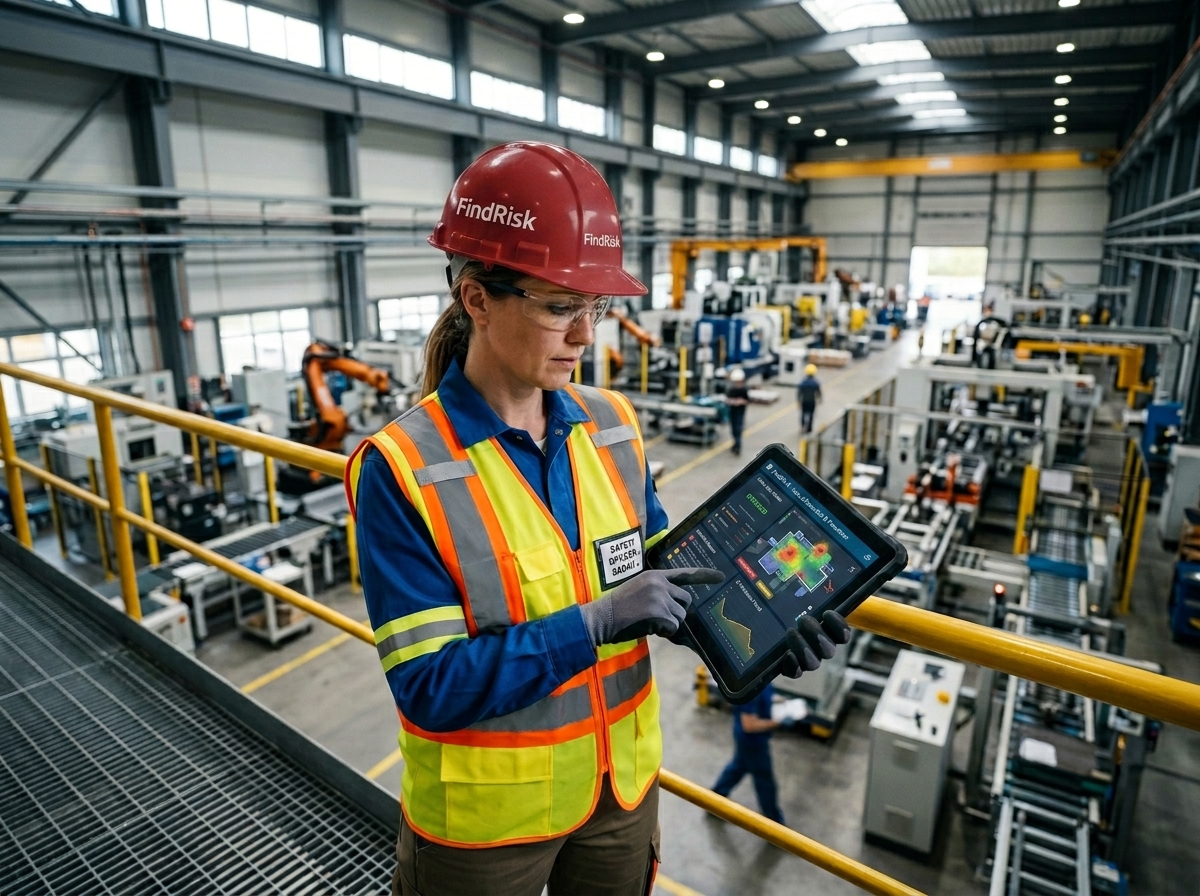
FindRisk is built specifically for occupational health and safety professionals who work in the field. The core workflow: describe your inspection context or task, and the AI generates a tailored checklist or risk assessment — including hazard identification using the Fine-Kinney methodology. Field workers capture photos, annotate hazards directly on images, and generate professional PDF reports in minutes.
Key capabilities:
- AI-generated checklists and risk assessments — prompt-based, context-aware, not generic templates
- Fine-Kinney quantitative risk scoring — industry-standard methodology, automated calculation
- Photo markup and hazard annotation — draw, label, and embed annotated images directly in reports
- Instant professional PDF reports — no post-processing or office work required
- Fully mobile — iOS and Android, works on-site
Strength: Speed and AI capability on mobile. The combination of AI-generated assessments and Fine-Kinney scoring is unusual in a mobile-first tool.
Consideration: Focused on inspection and risk assessment workflows; does not currently include permit-to-work or training management modules.
Platform: iOS, Android
SafetyCulture (iAuditor) — Market-Leading Inspection Platform
Category: Safety inspection and audit (broad-scope platform)
Best for: Organizations needing a wide-coverage inspection platform with strong template libraries and multi-location management.
SafetyCulture built its market position on the depth of its inspection template library and the strength of its analytics dashboard. The platform has expanded significantly from its iAuditor origins to cover training, sensors, and operational workflows. It is the most widely recognized name in the safety inspection software category.
Key capabilities:
- Extensive public template library (thousands of pre-built checklists)
- Heads Up for safety communications
- Sensor integration (temperature, noise monitoring)
- Training module
- Analytics and benchmarking
Strength: Breadth of coverage and market-tested template library. Strong for multi-site organizations that need standardized inspection programs.
Consideration: The breadth comes with complexity. Organizations with simple inspection needs often find the platform over-engineered. Pricing scales significantly with users and advanced features.
Platform: iOS, Android, Web
Intelex — Enterprise EHS Management Suite
Category: Integrated EHS management suite (enterprise)
Best for: Large organizations with dedicated EHS departments and complex compliance requirements across multiple jurisdictions.
Intelex is one of the most established enterprise EHS platforms, with deep functionality across the full OHS management lifecycle. It is typically selected by organizations with 500+ employees, dedicated EHS staff, and formal ISO 45001 or OSHA VPP compliance programs.
Key capabilities:
- Comprehensive incident management with investigation workflows
- Regulatory compliance tracking (OSHA, EPA, ISO)
- Risk register management
- Training and certification tracking
- Advanced analytics and executive dashboards
Strength: Depth of functionality and compliance reporting. If your organization needs to demonstrate compliance across multiple regulatory frameworks simultaneously, Intelex has the breadth.
Consideration: Enterprise pricing and implementation complexity. Deployment typically requires a significant implementation project. Not suitable for smaller organizations or teams without dedicated EHS staff.
Platform: Web (with mobile access)
Cority — EHS Compliance and Performance Platform
Category: Integrated EHS suite (enterprise, healthcare focus)
Best for: Healthcare systems, pharmaceuticals, and large industrial organizations with complex occupational health tracking requirements.
Cority (formerly Medgate) has particular strength in occupational health and medical management alongside traditional EHS functions. Its occupational health module — tracking worker medical fitness, exposure assessments, and return-to-work management — is more developed than most EHS platforms.
Key capabilities:
- Occupational health and medical management
- Industrial hygiene and exposure monitoring
- Chemical inventory and SDS management
- Environmental compliance tracking
- Incident and near-miss management
Strength: Occupational health depth. For organizations that manage a large workforce with significant exposure monitoring needs (chemical, pharmaceutical, healthcare), Cority's health module is best-in-class.
Consideration: The breadth of the platform creates significant implementation complexity. Organizations primarily focused on safety inspections will find significant functionality they do not need.
Platform: Web (with mobile)
SiteDocs — Paperless Safety for Construction and Trades
Category: Safety inspection and compliance (construction-focused)
Best for: Construction companies, contractors, and trades businesses managing worker certification, site safety forms, and OSHA compliance.
SiteDocs takes a different approach to OHS software: rather than starting with checklists, it starts with worker certification and safety orientation. The platform tracks who is allowed to be on which site, based on their current certifications and training records. Inspection and form workflows are built on top of this credentialing layer.
Key capabilities:
- Worker certification and training record management
- Site orientation and safety inductions
- Digital form completion (any form, any workflow)
- OSHA-required documentation management
- Subcontractor management
Strength: Worker credential management. For construction companies juggling dozens of subcontractors with varying certification requirements, SiteDocs simplifies the compliance verification problem.
Consideration: Less capable as a pure inspection or risk assessment tool. Organizations primarily focused on hazard assessment rather than credentialing may find the tool less suited to their core workflow.
Platform: iOS, Android, Web
Donesafe — Flexible Safety Management Platform
Category: Configurable safety management platform
Best for: Organizations that need a highly configurable platform that can be adapted to unusual workflows without custom development.
Donesafe (now part of HSI) is built on a low-code configuration framework that allows safety teams to design their own modules, forms, and workflows without needing software developers. This flexibility is its primary differentiator — organizations with non-standard safety processes can shape the system to match how they actually work, rather than reshaping their processes to fit the software.
Key capabilities:
- Fully configurable modules and workflows
- Incident management
- Hazard and risk management
- Training module
- Contractor management
Strength: Configurability. If your OHS process has workflow requirements that don't fit standard modules, Donesafe can adapt to meet them.
Consideration: Configurability requires investment in setup and administration. Organizations that want a ready-to-use system with minimal configuration effort will find the platform demands more initial work than competitors.
Platform: iOS, Android, Web
Comparison Table: Key Features at a Glance
| Platform | Mobile-First | AI Features | Risk Methodology | Offline Mode | Free Trial | Best Category |
|---|---|---|---|---|---|---|
| FindRisk | ✅ Yes | ✅ AI checklists, hazard detection | Fine-Kinney, custom | ✅ Yes | ✅ Yes | Field inspection + risk |
| SafetyCulture | ✅ Yes | ⚠️ Limited | Basic matrix | ✅ Yes | ✅ Yes | Multi-site inspection |
| Intelex | ⚠️ Web-primary | ❌ None | Risk register | ❌ Limited | ❌ No | Enterprise EHS suite |
| Cority | ⚠️ Web-primary | ❌ None | Risk register | ❌ Limited | ❌ No | Occupational health |
| SiteDocs | ✅ Yes | ❌ None | Basic forms | ✅ Yes | ✅ Yes | Construction credentialing |
| Donesafe | ✅ Yes | ❌ None | Configurable | ⚠️ Limited | ✅ Yes | Configurable workflows |
How to Choose: 4 Decision Scenarios
Scenario 1: You're a Safety Officer at a Mid-Size Industrial Facility
You need to conduct regular inspections, run Fine-Kinney risk assessments, and generate reports that your line managers and auditors will accept.
Recommended: FindRisk. The AI-assisted Fine-Kinney workflow and mobile-first design matches this exact use case. You can complete an assessment on-site and hand a professional PDF to your manager the same day.
Scenario 2: You're an EHS Director at a 2,000-Person Manufacturing Company
You manage a team of safety professionals across five sites, need consolidated analytics, and have formal ISO 45001 certification obligations.
Recommended: SafetyCulture for inspection standardization across sites, or Intelex if you need deep incident investigation and compliance tracking in a single integrated system.
Scenario 3: You're a Construction Safety Manager with 30+ Subcontractors
You need to track who is certified to work on each site, manage inductions, and maintain OSHA documentation across multiple projects simultaneously.
Recommended: SiteDocs. Its credential-first design is built for exactly this problem.
Scenario 4: You're Building a Custom OHS Workflow
Your organization has a non-standard safety process — perhaps a combination of health surveillance, behavioral observation, and permit management that doesn't fit any standard module.
Recommended: Donesafe. Invest in the initial configuration; the long-term flexibility is worth the setup effort.
The Case for AI in OHS Software
The most significant shift in OHS software over the past two years is the integration of artificial intelligence — particularly large language models — into safety workflows that previously required significant manual effort.
According to the International Labour Organization's 2024 World Safety Report, AI-assisted hazard identification has been shown to reduce missed hazards by 23% compared to manual checklist completion in controlled studies. The most impactful applications in current tools include:
AI-generated checklists: Instead of selecting from a pre-built template library, the safety officer describes the task, location, and equipment. The AI generates a tailored checklist relevant to that specific context — including hazards that generic templates might miss because they're specific to the combination of task and environment.
Hazard detection from photos: Computer vision models trained on safety-relevant imagery can identify PPE compliance violations, unsafe conditions, and equipment anomalies in photos captured during inspections. These are not perfect systems — false positive rates remain a consideration — but they act as a second reviewer on visual inspection data.
Automated risk scoring: AI systems can pre-populate Fine-Kinney or risk matrix scores based on similar historical assessments, reducing the time required for standard, recurring assessment types while flagging when a scenario differs significantly from historical precedent.
The organizations that extract the most value from AI-enabled OHS software are those that treat AI as an assistant — accelerating and quality-checking human judgment — rather than as a replacement for the professional skill of hazard recognition.
How FindRisk Approaches AI-Powered Safety
FindRisk integrates AI at the core of its inspection and risk assessment workflow, not as an optional add-on. When a safety professional opens the app:
- Describe the task — "Fall protection inspection for scaffolding installation on a 12-metre structure, construction site, heavy rain forecast"
- AI generates a tailored checklist — specific to the task type, height, weather conditions, and equipment type
- Conduct the inspection — checking items, capturing photos, annotating hazards directly on images
- Fine-Kinney risk scoring — probability, frequency, and consequence values scored automatically, with the ability to adjust
- Generate the report — professional PDF with annotated photos, risk scores, and recommended corrective actions
The result: a task that previously took 3–4 hours of field work plus office report writing is completed in under 45 minutes, with a higher-quality output.
Download FindRisk to run your first AI-powered safety inspection today.
Frequently Asked Questions
What is the difference between OHS software and EHS software?
The terms are used interchangeably in most contexts. OHS (Occupational Health and Safety) is the dominant term in the UK, Australia, and much of Europe. EHS (Environment, Health, and Safety) is more commonly used in North America and in large multinational organizations that manage environmental compliance alongside health and safety. The software platforms themselves typically cover the same functional areas regardless of which acronym they use.
Do I need enterprise software, or will a mobile app work for my team?
For organizations with fewer than 200 employees, a mobile-first platform like FindRisk or SafetyCulture typically provides better value and faster adoption than an enterprise suite. Enterprise platforms (Intelex, Cority) are designed for organizations with dedicated EHS staff, complex multi-jurisdiction compliance requirements, and formal implementation budgets. If your primary need is conducting inspections, risk assessments, and generating reports — a mobile-first tool will outperform an enterprise suite in daily usability.
Is AI in OHS software reliable enough to trust?
AI in OHS software should be evaluated on a specific task basis. For checklist generation and hazard suggestion, AI performs well as an augmentation tool — it prompts safety professionals to consider hazards they might have missed, but the final judgment remains with the trained professional. For photo-based PPE detection, accuracy rates vary by implementation and lighting conditions. No AI system should be used as the sole verification method for a safety-critical determination.
What does OHS software typically cost?
Pricing varies enormously. Mobile-first apps like FindRisk offer free download with app-store-standard pricing. Mid-market platforms like SafetyCulture typically charge per user per month, with pricing ranging from $15–$50 per user depending on the tier. Enterprise platforms (Intelex, Cority) are typically contract-priced and require a formal procurement process — annual contract values commonly range from $20,000 to $500,000+ depending on organization size and module selection.
Can OHS software help with ISO 45001 certification?
Yes. ISO 45001 Clause 8.1 requires documented operational planning and control — a digital OHS platform provides the audit trail that demonstrates compliance. Clause 9.1 requires monitoring and measurement — digital platforms generate the inspection records and performance data that satisfy this requirement. Clause 10.2 requires documented corrective action — the incident and CAPA management features of most platforms address this directly. Organizations pursuing ISO 45001 certification consistently report that digital OHS tools significantly accelerate the evidence-gathering phase of certification audits.
What should I look for when evaluating OHS apps for mobile field use?
The most important criteria for field use are: offline capability (inspections often happen in areas with no network connectivity), photo and annotation quality (the evidence you capture needs to be defensible), report output quality (the PDF needs to be professional enough to submit to a client or regulator), and form completion speed (if the app is slower than paper, field teams will revert to paper). Conduct a real-world pilot — not a demo — on an actual inspection before committing.
Conclusion
The best OHS software is not the one with the longest feature list — it is the one that gets used consistently by the people responsible for safety in your organization.
For most organizations, the decision comes down to a fundamental question: are you primarily a field safety team that needs fast, mobile, AI-assisted inspection and risk assessment? Or are you primarily an EHS compliance function that needs integrated incident management, training records, and multi-jurisdiction regulatory reporting?
Field-first teams get more value from FindRisk and SafetyCulture. Compliance-first functions get more value from Intelex and Cority.
The shift to digital OHS tools is not optional — it is the operational baseline for organizations serious about preventing harm. The gap between organizations that have made the transition and those still working from paper clipboards is measurable in incident rates, audit readiness, and the speed at which safety findings translate into corrective action.
Download FindRisk and run your first AI-powered safety inspection. The best safety program is the one that actually happens — on-site, in real time, every time.
Try FindRisk
Ready to modernize your safety workflow?
Conduct AI-powered risk assessments, generate reports instantly, and keep your team safe — anywhere, anytime.